Enable Motion Photos on my Galaxy Device
Motion Photo puts a little context into the making of the shot by letting you capture a few seconds of action leading up to when the shutter button is released. It even allows you to pinpoint which moment you want to preserve as the still frame. Also, when it comes to sharing photos with friends and family, you have the option to share the Motion Photo as a video file.
Please Note: This guide is designed for Australian variant Galaxy devices, if you have an international device and require further support click here to get in touch with your Samsung subsidiary.
If you would like to learn how to capture still shots within your Motion Photo please check out our guide Capturing Frames on my Galaxy device for more information.
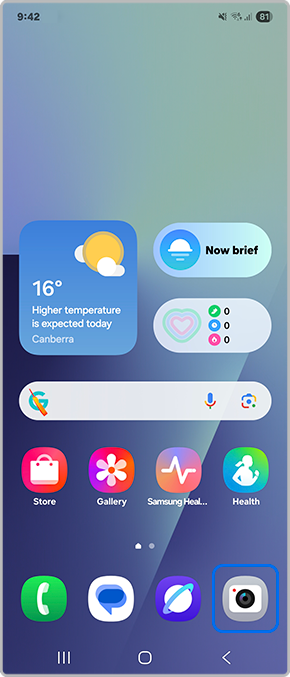
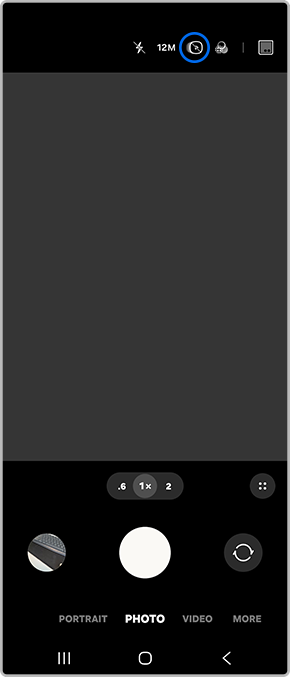
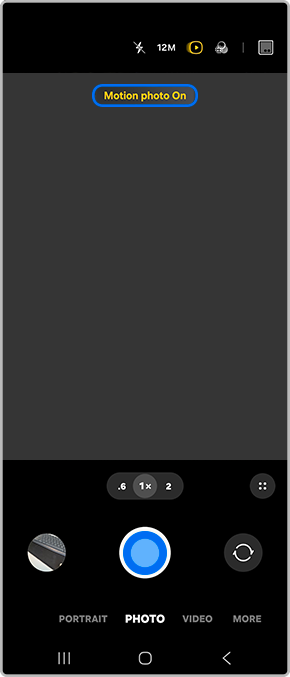
 Motion Photo to enable setting

High-Resolution/Max Megapixel Modes
If your camera is set to its highest resolution mode (such as 50MP or 200MP) or a strict aspect ratio resolution, the camera software automatically disables Motion Photo.

Conflicting Camera Features
Motion Photos cannot run simultaneously with certain features, such as Flash (when forced ON) or specific night/macro modes. Ensure your flash is set to Auto or Off.

Standard Photo Mode Only
Motion Photo is strictly a feature of the standard Photo mode. They cannot be activated while shooting in Portrait, Panorama or Hyperlapse modes.

Low Storage Space
If your phone's internal storage is critically low, the system may silently suspend background clip generation to save space. Check your storage limits in device settings.


Thank you for your feedback!
Please answer all questions.
Contact Info
Contact us
WhatsApp
![]()
![]()

